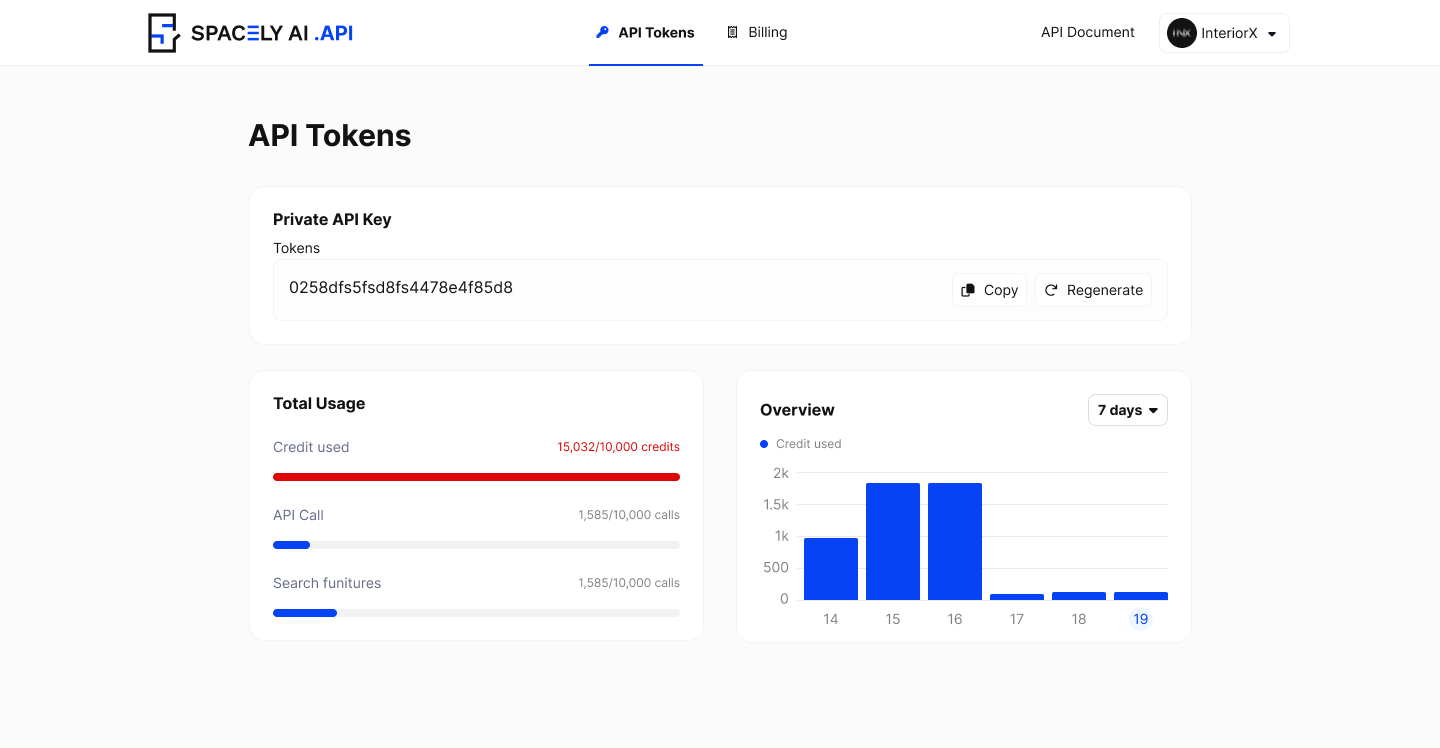
Spacely AI Enterprise Dashboard
Spacely AI Enterprise Dashboard
The model name of the project.
(e.g., "spacely-v1", "spacely-unfurnished-space", "spacely-style-transfer").
| | imageUrl\* | String |The URL of the image representing the room or space to be designed/renovated.
| | spaceType\* | String | The type of the space (e.g., "bedroom", "living\_room", "kitchen", etc.). | | spaceStyle\* | String | The style of the space (e.g., "modern", "minimalist", "industrial\_loft", etc.). | | spaceColor | String |The primary color theme or set used in the space (optional).
(e.g., "set\_1", "set\_2", "set\_3", etc.)
| | styleUrl | String | The URL pointing to additional references or inspirations for the design | | materialsIds | String\[] | An array of material IDs representing the materials used in the project (e.g., "paper\_wallpaper", "particle\_board", "porcelain\_tile", etc.). | | renovateType\* | String | The type of renovation, whether "**residential**", "**commercial**" or "exterior" | {% tabs %} {% tab title="401: Unauthorized The API key provided was invalid or missing." %} {% endtab %} {% tab title="400: Bad Request Not Found: Requested resource not found on the server." %} {% endtab %} {% tab title="500: Internal Server Error Unexpected condition on the server preventing request fulfillment." %} {% endtab %} {% tab title="200: OK Response ref Id for polling data" %} ```json { "data": "ea6abee1-ed4b-4ca8-0000-2c215150bf9e" } ``` {% endtab %} {% endtabs %} ## Example {% tabs %} {% tab title="cURL" %} ```sh curl --location 'https://api.spacely.ai/api/v1/generate/standard' \ --header 'X-API-KEY: YOUR_X_API_KEY' \ --header 'Content-Type: application/json' \ --data '{ "model": "spacely-v1", "imageUrl": IMAGE_URL, "spaceType": "bedroom", "spaceStyle": "modern", "spaceColor": "", "renovateType": "residential", "styleUrl": "", "materialsIds": [ "paper_wallpaper", "particle_board", "porceline_tile" ] }' ``` {% endtab %} {% tab title="JavaScript" %} ```javascript var myHeaders = new Headers(); myHeaders.append("X-API-KEY", YOUR_X_API_KEY); myHeaders.append("Content-Type", "application/json"); var raw = JSON.stringify({ "model": "spacely-v1", "imageUrl": IMAGE_URL, "spaceType": "bedroom", "spaceStyle": "modern", "spaceColor": "", "renovateType": "residential", "styleUrl": "", "materialsIds": [ "paper_wallpaper", "particle_board", "porceline_tile" ] }); var requestOptions = { method: 'POST', headers: myHeaders, body: raw, redirect: 'follow' }; fetch("https://api.spacely.ai/api/v1/generate/standard", requestOptions) .then(response => response.text()) .then(result => console.log(result)) .catch(error => console.log('error', error)); ``` {% endtab %} {% tab title="NodeJs" %} ```javascript const axios = require('axios'); let data = JSON.stringify({ "model": "spacely-v1", "imageUrl": IMAGE_URL, "spaceType": "bedroom", "spaceStyle": "modern", "spaceColor": "", "renovateType": "residential", "styleUrl": "", "materialsIds": [ "paper_wallpaper", "particle_board", "porceline_tile" ] }); let config = { method: 'post', maxBodyLength: Infinity, url: 'https://api.spacely.ai/api/v1/generate/standard', headers: { 'X-API-KEY': YOUR_X_API_KEY, 'Content-Type': 'application/json' }, data : data }; axios.request(config) .then((response) => { console.log(JSON.stringify(response.data)); }) .catch((error) => { console.log(error); }); ``` {% endtab %} {% tab title="Go" %} ```go package main import ( "fmt" "strings" "net/http" "io/ioutil" ) func main() { url := "https://api.spacely.ai/api/v1/generate/standard" method := "POST" payload := strings.NewReader(`{ "model": "spacely-v1", "imageUrl": IMAGE_URL "spaceType": "bedroom", "spaceStyle": "modern", "spaceColor": "", "renovateType": "residential", "styleUrl": "", "materialsIds": [ "paper_wallpaper", "particle_board", "porceline_tile" ] }`) client := &http.Client { } req, err := http.NewRequest(method, url, payload) if err != nil { fmt.Println(err) return } req.Header.Add("X-API-KEY", YOUR_API_KEY) req.Header.Add("Content-Type", "application/json") res, err := client.Do(req) if err != nil { fmt.Println(err) return } defer res.Body.Close() body, err := ioutil.ReadAll(res.Body) if err != nil { fmt.Println(err) return } fmt.Println(string(body)) } ``` {% endtab %} {% tab title="Python" %} ```python import requests import json url = "https://api.spacely.ai/api/v1/generate/standard" payload = json.dumps({ "model": "spacely-v1", "imageUrl": IMAGE_URL "spaceType": "bedroom", "spaceStyle": "modern", "spaceColor": "", "renovateType": "residential", "styleUrl": "", "materialsIds": [ "paper_wallpaper", "particle_board", "porceline_tile" ] }) headers = { 'X-API-KEY': YOUR_API_KEY, 'Content-Type': 'application/json' } response = requests.request("POST", url, headers=headers, data=payload) print(response.text) ``` {% endtab %} {% endtabs %} # POST Generate Advance Advance generate unlimited space designs. ## Endpoint `POST` `https://api.spacely.ai/api/v1/generate/advance` This endpoint is used to advance generate #### Headers | Name | Type | Description | | ------------------------------------------- | ------ | ----------- | | X-API-KEY\* | String | | #### Request Body | Name | Type | Description | | ---------------------------------------------- | ------ | ------------------------------------------------------------------------------------------------------------------------------------------------------------------------------------------------------------------------------------------------------------------------------------------- | | model\* | String |The model name of the project.
(e.g., "spacely-v1", "spacely-unfurnished-space", "spacely-style-transfer").
| | imageUrl\* | String |The URL of the image representing the room or space to be designed/renovated.
| | prompt | String | This could be a parameter that serves as a prompt or instruction for the model, possibly related to the style or theme of the image processing task. | | nPrompt | String | It seems to be an empty parameter, potentially used to provide additional instructions or information to the model. | | renovateType\* | String | The type of renovation, whether "**residential**" or "**commercial**" | {% tabs %} {% tab title="200: OK Response ref Id for pulling data" %} ```json { "data": "63d17492-43d9-4161-0000-b067be1316dc" } ``` {% endtab %} {% tab title="400: Bad Request Not Found: Requested resource not found on the server." %} {% endtab %} {% tab title="401: Unauthorized The API key provided was invalid or missing." %} {% endtab %} {% tab title="500: Internal Server Error Unexpected condition on the server preventing request fulfillment." %} {% endtab %} {% endtabs %} ## Example {% tabs %} {% tab title="cURL" %} ```sh curl --location 'https://api.spacely.ai/api/v1/generate/advance' \ --header 'X-API-KEY: YOUR_API_KEY' \ --header 'Content-Type: application/json' \ --data '{ "model": "spacely-v1", "imageUrl": IMAGE_URL, "prompt": "mid_century", "nPrompt": "", "renovateType": "residential" } ' ``` {% endtab %} {% tab title="JavaScript " %} ```javascript var myHeaders = new Headers(); myHeaders.append("X-API-KEY", YOUR_API_KEY); myHeaders.append("Content-Type", "application/json"); var raw = JSON.stringify({ "model": "spacely-v1", "imageUrl": IMAGE_URL, "prompt": "mid_century", "nPrompt": "", "renovateType": "residential" }); var requestOptions = { method: 'POST', headers: myHeaders, body: raw, redirect: 'follow' }; fetch("https://api.spacely.ai/api/v1/generate/advance", requestOptions) .then(response => response.text()) .then(result => console.log(result)) .catch(error => console.log('error', error)); ``` {% endtab %} {% tab title="NodeJs" %} ```javascript const axios = require('axios'); let data = JSON.stringify({ "model": "spacely-v1", "imageUrl": IMAGE_URL, "prompt": "mid_century", "nPrompt": "", "renovateType": "residential" }); let config = { method: 'post', maxBodyLength: Infinity, url: 'https://api.spacely.ai/api/v1/generate/advance', headers: { 'X-API-KEY': YOUR_API_KEY, 'Content-Type': 'application/json' }, data : data }; axios.request(config) .then((response) => { console.log(JSON.stringify(response.data)); }) .catch((error) => { console.log(error); }); ``` {% endtab %} {% tab title="Go" %} ```go package main import ( "fmt" "strings" "net/http" "io/ioutil" ) func main() { url := "https://api.spacely.ai/api/v1/generate/advance" method := "POST" payload := strings.NewReader(`{ "model": "spacely-v1", "imageUrl": IMAGE_URL, "prompt": "mid_century", "nPrompt": "", "renovateType": "residential" } `) client := &http.Client { } req, err := http.NewRequest(method, url, payload) if err != nil { fmt.Println(err) return } req.Header.Add("X-API-KEY", API_KEY) req.Header.Add("Content-Type", "application/json") res, err := client.Do(req) if err != nil { fmt.Println(err) return } defer res.Body.Close() body, err := ioutil.ReadAll(res.Body) if err != nil { fmt.Println(err) return } fmt.Println(string(body)) } ``` {% endtab %} {% tab title="Python" %} ```python import requests import json url = "https://api.spacely.ai/api/v1/generate/advance" payload = json.dumps({ "model": "spacely-v1", "imageUrl": IMAGE_URL, "prompt": "mid_century", "nPrompt": "", "renovateType": "residential" }) headers = { 'X-API-KEY': YOUR_API_KEY, 'Content-Type': 'application/json' } response = requests.request("POST", url, headers=headers, data=payload) print(response.text) ``` {% endtab %} {% endtabs %} # POST Generate Style Transfer Merge your selected style into your designs seamlessly. ## Endpoint `POST` `https://api.spacely.ai/api/v1/generate/style-transfer` This endpoint is used to style transfer generate #### Headers | Name | Type | Description | | ------------------------------------------- | ------ | ----------- | | X-API-KEY\* | String | | #### Request Body | Name | Type | Description | | ---------------------------------------------- | ------ | ------------------------------------------------------------------------------------------------------------------------------------------------------------------------------------------------------------------------------------------------------------------------------------------- | | imageUrl\* | String |The URL of the image representing the room or space to be designed/renovated.
| | spaceType\* | String | The type of the space (e.g., "bedroom", "living\_room", "kitchen", etc.). | | styleImageUrl | String | The URL pointing to additional references or inspirations for the design | | renovateType\* | String | The type of renovation, whether "**residential**", "**commercial**" or "exterior" | {% tabs %} {% tab title="401: Unauthorized The API key provided was invalid or missing." %} {% endtab %} {% tab title="400: Bad Request Not Found: Requested resource not found on the server." %} {% endtab %} {% tab title="500: Internal Server Error Unexpected condition on the server preventing request fulfillment." %} {% endtab %} {% tab title="200: OK Response ref Id for polling data" %} ```json { "data": "ea6abee1-ed4b-4ca8-0000-2c215150bf9e" } ``` {% endtab %} {% endtabs %} ## Example {% tabs %} {% tab title="cURL" %} ```sh curl --location 'https://api.spacely.ai/api/v1/generate/style-transfer' \ --header 'X-API-KEY: YOUR_X_API_KEY' \ --header 'Content-Type: application/json' \ --data '{ "spaceType": "bathroom", "imageUrl": "https://storage.googleapis.com/spacely/public/image/roomstyle3/bathroom-modern.jpg", "styleImageUrl": "https://storage.googleapis.com/spacely/public/image/residential-room-style-2/nordic-bedroom.jpg", "renovateType": "residential" }' ``` {% endtab %} {% tab title="JavaScript" %} ```javascript var myHeaders = new Headers(); myHeaders.append("X-API-KEY", YOUR_X_API_KEY); myHeaders.append("Content-Type", "application/json"); var raw = JSON.stringify({ "spaceType": "bathroom", "imageUrl": "https://storage.googleapis.com/spacely/public/image/roomstyle3/bathroom-modern.jpg", "styleImageUrl": "https://storage.googleapis.com/spacely/public/image/residential-room-style-2/nordic-bedroom.jpg", "renovateType": "residential" }); var requestOptions = { method: 'POST', headers: myHeaders, body: raw, redirect: 'follow' }; fetch("https://api.spacely.ai/api/v1/generate/style-transfer", requestOptions) .then(response => response.text()) .then(result => console.log(result)) .catch(error => console.log('error', error)); ``` {% endtab %} {% tab title="NodeJs" %} ```javascript const axios = require('axios'); let data = JSON.stringify({ "spaceType": "bathroom", "imageUrl": "https://storage.googleapis.com/spacely/public/image/roomstyle3/bathroom-modern.jpg", "styleImageUrl": "https://storage.googleapis.com/spacely/public/image/residential-room-style-2/nordic-bedroom.jpg", "renovateType": "residential" }); let config = { method: 'post', maxBodyLength: Infinity, url: 'https://api.spacely.ai/api/v1/generate/style-transfer', headers: { 'X-API-KEY': YOUR_X_API_KEY, 'Content-Type': 'application/json' }, data : data }; axios.request(config) .then((response) => { console.log(JSON.stringify(response.data)); }) .catch((error) => { console.log(error); }); ``` {% endtab %} {% tab title="Go" %} ```go package main import ( "fmt" "strings" "net/http" "io/ioutil" ) func main() { url := "https://api.spacely.ai/api/v1/generate/style-transfer" method := "POST" payload := strings.NewReader(`{ "spaceType": "bathroom", "imageUrl": "https://storage.googleapis.com/spacely/public/image/roomstyle3/bathroom-modern.jpg", "styleImageUrl": "https://storage.googleapis.com/spacely/public/image/residential-room-style-2/nordic-bedroom.jpg", "renovateType": "residential" }`) client := &http.Client { } req, err := http.NewRequest(method, url, payload) if err != nil { fmt.Println(err) return } req.Header.Add("X-API-KEY", YOUR_X_API_KEY) req.Header.Add("Content-Type", "application/json") res, err := client.Do(req) if err != nil { fmt.Println(err) return } defer res.Body.Close() body, err := ioutil.ReadAll(res.Body) if err != nil { fmt.Println(err) return } fmt.Println(string(body)) } ``` {% endtab %} {% tab title="Python" %} ```python import requests import json url = "https://api.spacely.ai/api/v1/generate/style-transfer" payload = json.dumps({ "spaceType": "bathroom", "imageUrl": "https://storage.googleapis.com/spacely/public/image/roomstyle3/bathroom-modern.jpg", "styleImageUrl": "https://storage.googleapis.com/spacely/public/image/residential-room-style-2/nordic-bedroom.jpg", "renovateType": "residential" }) headers = { 'X-API-KEY': YOUR_X_API_KEY, 'Content-Type': 'application/json' } response = requests.request("POST", url, headers=headers, data=payload) print(response.text) ``` {% endtab %} {% endtabs %} # GET Polling Data ## Endpoint `GET` `https://api.spacely.ai/api/v1/generate/poll-result?refId={{refId}}` This endpoint is used to fetch result from standard and advance generate #### Path Parameters | Name | Type | Description | | --------------------------------------- | ------ | ---------------------------------------- | | refId\* | String | Refid after stansard or advance generate | #### Headers | Name | Type | Description | | ------------------------------------------- | ------ | ----------- | | X-API-KEY\* | String | | {% tabs %} {% tab title="200: OK Response status success" %} ```json { "data": { "status": "success", "result": [ "https://storage.googleapis.com/spacely-enterprise/c18302f5-a9de-422d-000/ea6abee1-ed4b-4ca8-994e-2c215150bf9e-1.png", "https://storage.googleapis.com/spacely-enterprise/c18302f5-a9de-422d-000/ea6abee1-ed4b-4ca8-994e-2c215150bf9e-2.png", "https://storage.googleapis.com/spacely-enterprise/c18302f5-a9de-422d-000/ea6abee1-ed4b-4ca8-994e-2c215150bf9e-3.png", "https://storage.googleapis.com/spacely-enterprise/c18302f5-a9de-422d-000/ea6abee1-ed4b-4ca8-994e-2c215150bf9e-4.png" ] } } ``` {% endtab %} {% tab title="200: OK Response status processing" %} ```json { "data": { "status": "processing", "result": [] } } ``` {% endtab %} {% tab title="400: Bad Request Not Found: Requested resource not found on the server." %} {% endtab %} {% tab title="401: Unauthorized The API key provided was invalid or missing." %} {% endtab %} {% tab title="500: Internal Server Error Unexpected condition on the server preventing request fulfillment." %} {% endtab %} {% endtabs %} ## Example {% tabs %} {% tab title="cURL" %} ```sh curl --location 'https://api.spacely.ai/api/v1/generate/poll-result?refId=REF_ID' \ --header 'X-API-KEY: YOUR_API_KEY' ``` {% endtab %} {% tab title="JavaScript" %} ```javascript var myHeaders = new Headers(); myHeaders.append("X-API-KEY", YOUR_API_KEY); var requestOptions = { method: 'GET', headers: myHeaders, redirect: 'follow' }; fetch("https://api.spacely.ai/api/v1/generate/poll-result?refId=068e3933-4aeb-4b4d-a473-9f8fa9f2d20a", requestOptions) .then(response => response.text()) .then(result => console.log(result)) .catch(error => console.log('error', error)); ``` {% endtab %} {% tab title="NodeJs" %} ```javascript const axios = require('axios'); let config = { method: 'get', maxBodyLength: Infinity, url: 'https://api.spacely.ai/api/v1/generate/poll-result?refId=REF_ID', headers: { 'X-API-KEY': YOUR_API_KEY } }; axios.request(config) .then((response) => { console.log(JSON.stringify(response.data)); }) .catch((error) => { console.log(error); }); ``` {% endtab %} {% tab title="Go" %} ```go package main import ( "fmt" "net/http" "io/ioutil" ) func main() { url := "https://api.spacely.ai/api/v1/generate/poll-result?refId=REF_ID" method := "GET" client := &http.Client { } req, err := http.NewRequest(method, url, nil) if err != nil { fmt.Println(err) return } req.Header.Add("X-API-KEY", YOUR_API_KEY) res, err := client.Do(req) if err != nil { fmt.Println(err) return } defer res.Body.Close() body, err := ioutil.ReadAll(res.Body) if err != nil { fmt.Println(err) return } fmt.Println(string(body)) } ``` {% endtab %} {% tab title="Python" %} ```python import requests url = "https://api.spacely.ai/api/v1/generate/poll-result?refId=REF_ID" payload = {} headers = { 'X-API-KEY': YOUR_API_KEY } response = requests.request("GET", url, headers=headers, data=payload) print(response.text) ``` {% endtab %} {% endtabs %} # How can you link your products to Spacely AI? At Spacely AI, we understand that businesses have diverse operational frameworks. Hence, to seamlessly integrate your furniture products into our system, we offer two straightforward methods. Assess the options below to determine which fits best with your current setup: *** #### Option 1: CSV File with Image Directories **Overview:** This method requires you to prepare a CSV file containing product details and send your product images as separate files. The images are referenced in the CSV by their exact filenames. **Who Should Choose This?** * If you already have a local directory of product images. * If your images aren't already hosted online. * If you prefer a consolidated upload of data and images. {% content-ref url="/pages/KGwY09kYPzysWsGlH2ZK" %} [Option 1 : CSV file with image directories](/spacely-ai-enterprise-old/furniture-partnership/option-1-csv-file-with-image-directories) {% endcontent-ref %} *** #### Option 2: CSV File with Image URLs **Overview:** This is a more streamlined method where you only send a CSV file. In the CSV, you provide direct URLs pointing to where each product image is hosted online. **Who Should Choose This?** * If your product images are already hosted online. * If you want a faster and simpler integration method. * If you can ensure the URLs are publicly accessible and long-lasting. {% content-ref url="/pages/h3pIixQ4yK8f0W3px3LR" %} [Option 2 : CSV file with image urls](/spacely-ai-enterprise-old/furniture-partnership/option-2-csv-file-with-image-urls) {% endcontent-ref %} # Option 1 : CSV file with image directories {% file src="/files/yGGaInFhy4woN6PQ1aws" %} Template Option 1: CSV File with Image Directories {% endfile %} This method requires partners to send their product images as separate files, referenced in the CSV by their respective directory names. **Steps:** 1. **Prepare the CSV**: * Populate the CSV with all the necessary product information. * For the image column, list the exact filename (including the file extension) of the corresponding product image. 2. **Prepare the Image Files**: * Collate all product images into one folder. * Ensure each image file is named exactly as listed in the CSV. * Compress the folder to reduce the file size (using tools like WinRAR or 7-Zip). 3. **Sending the Data**: * Attach the completed CSV and the compressed image folder to an email. * Subject should be “*\[Your Name]* - Add Product Database with Image Directories”. * Email it to| Column | Definition | Definition | |
|---|---|---|---|
| product_id (required) | A unique identifier for each product. | ||
| url (required) | The web address where more information about the product can be found. | ||
| brand (required) | The brand name of the product. | ||
| name (required) | The name or title of the product. | ||
| category (required) | The broad category to which the product belongs (e.g., Bed Frames, Tables & desks). | ||
| sub_category | A more specific classification within the main category (e.g., Sofa-beds, Desks & Computer Desks). | no require | |
| tags | Keywords or phrases associated with the product, useful for search and categorization. | ||
| color | The primary color(s) of the product. | no require | |
| price | The selling price of the product. | ||
| currency | The currency in which the price is listed. | ||
| unit | The number of units this pricing refers to. | ||
| images (required) | Paths or filenames of images associated with the product, typically relative to a base directory. | ||
| width_cm | The width of the product in centimeters. | ||
| length_cm | The length of the product in centimeters. | ||
| height_cm | The height of the product in centimeters. |
| Column | Definition | Definition | |
|---|---|---|---|
| product_id (required) | A unique identifier for each product. | ||
| url (required) | The web address where more information about the product can be found. | ||
| brand (required) | The brand name of the product. | ||
| name (required) | The name or title of the product. | ||
| category (required) | The broad category to which the product belongs (e.g., Bed Frames, Tables & desks). | ||
| sub_category | A more specific classification within the main category (e.g., Sofa-beds, Desks & Computer Desks). | no require | |
| tags | Keywords or phrases associated with the product, useful for search and categorization. | ||
| color | The primary color(s) of the product. | no require | |
| price | The selling price of the product. | ||
| currency | The currency in which the price is listed. | ||
| unit | The number of units this pricing refers to. | ||
| images (required) | URLs of images associated with the product, directly accessible over the internet. | ||
| width_cm | The width of the product in centimeters. | ||
| length_cm | The length of the product in centimeters. | ||
| height_cm | The height of the product in centimeters. |
